How to Set Up Your Account on the Patient Portal in Lithuania
Moving to a new country involves a mountain of paperwork, but in Lithuania, much of that mountain is digital. Many expats arrive in Vilnius or Kaunas, get their residence permit, and then feel completely lost when a doctor tells them their prescription is "on the system." This guide explains exactly how to set up and navigate the E-Sveikata portal, ensuring you never lose track of your medical records or prescriptions again.
Prerequisites for Accessing the Patient Portal
Before you can even think about clicking the login button on the national patient portal, you need to understand that the Lithuanian digital infrastructure is built on a foundation of verified identity. Unlike some countries where you can simply create a username and password with an email address, Lithuania requires a "keys to the kingdom" approach. For an expat, this means you cannot access your health records until the government officially recognizes you as a resident. I spent my first few weeks trying to bypass this, thinking there was a guest mode, but there isn't. You exist in the digital health system only when your physical residency is finalized.
Obtaining Your Asmens Kodas
The absolute first thing you need is your Asmens Kodas, or personal code. This is an 11-digit number that appears on your residence permit card or your certificate of residence if you are an EU citizen. This number is your unique identifier for every government service in the country, from taxes to healthcare. Without it, the E-Sveikata system has no "bucket" to put your medical data into. If you are still waiting for your residence permit to be processed, you are effectively a ghost in the public health system.
For those in this "limbo" period—where you are living in Lithuania but don't yet have an Asmens Kodas—managing your health can be stressful. During this time, many expats rely on private solutions like SafetyWing to cover their medical needs until they are fully integrated into the public system. It is important to know How to Get Your Asmens Kodas (Personal Code) and Why It Matters for Healthcare because, until that number is issued, no doctor at a public polyclinic can create an electronic record for you. I remember the frustration of trying to explain this to a receptionist; without that code, the "Enter" key on their keyboard literally won't work for your file.
Selecting Your Digital Identification Method
Once you have your Asmens Kodas, you need a way to prove you are who you say you are online. Lithuania uses the "Elektroniniai Valdžios Vartai," or E-Government Gateway, as a centralized login hub. You have three main options: a local bank link, a Mobile-ID (m.parašas), or the Smart-ID app. For most expats, Smart-ID is the most convenient choice, but there is a catch: you usually need a Lithuanian bank account to verify your Smart-ID to the "Qualified Electronic Signature" level required for health records.
If you haven't yet set up your local finances, you should look into Banking in Lithuania: A Complete Guide for Foreigners (2027). Having a local bank account makes the login process for E-Sveikata a one-click affair. If you choose the Mobile-ID route, you’ll need to visit your mobile service provider (like Telia, Tele2, or Bitė) and get a special SIM card. This adds a layer of physical security, as you have to enter a PIN on your phone every time you log in. It feels a bit like being a secret agent at first, but you'll soon realize this is just standard life in one of the world's most digitized nations.
Ensuring Your PSD Status is Active
Even with a login, the portal might look a bit empty or restricted if your Compulsory Health Insurance (PSD) is not active. The E-Sveikata portal pulls data from the National Health Insurance Fund (VLK). If you are employed by a Lithuanian company, your employer handles this. If you are self-employed or a student, you must ensure your contributions are paid to Sodra.
Many cases arise where an expat successfully logs in but finds no records because their insurance hasn't been "linked" correctly in the backend. While you are sorting out these administrative hiccups, having a backup like SafetyWing can be a lifesaver, as it ensures you have access to private clinics while the public system catches up with your residency status. You can check your insurance status directly through the portal, which we will cover in the navigation section, but be prepared for a bit of a delay between your first paycheck and the system showing you as "Apdraustas" (Insured).
The Step-by-Step Guide to First-Time Login
Actually getting into the portal for the first time can feel like a test of patience. The website is primarily in Lithuanian, though an English version exists for parts of the interface. However, the login gateway itself is almost always in Lithuanian. You will need to go to esveikata.lt and look for the "Prisijungti" (Login) button, usually located in the top right corner. Clicking this will redirect you to the central authentication service, which is where the real work begins.
Navigating the E-Government Gateway
The E-Government Gateway is a page filled with bank logos and various authentication icons. Don't let the wall of text intimidate you. If you are using a bank link, simply find your bank’s logo (like Swedbank, SEB, or Luminor). If you are using Smart-ID or Mobile-ID, look for the "VĮ Registrų centras" or the specific Smart-ID icon. You will be asked to enter your Asmens Kodas, and then a notification will pop up on your phone.
It is worth reading up on Understanding the E-Government Gateway (Elektroniniai Valdžios Vartai) in Lithuania to understand exactly how this central hub works, as you will use it for everything from signing rental contracts to filing taxes. Once you confirm the code on your phone, the gateway will "hand you back" to the E-Sveikata portal. If the page hangs—which it occasionally does during peak hours—don't keep refreshing. Close the tab and start over; the authentication token often gets confused if you send multiple requests at once.
Setting Up Your Profile and Contact Information
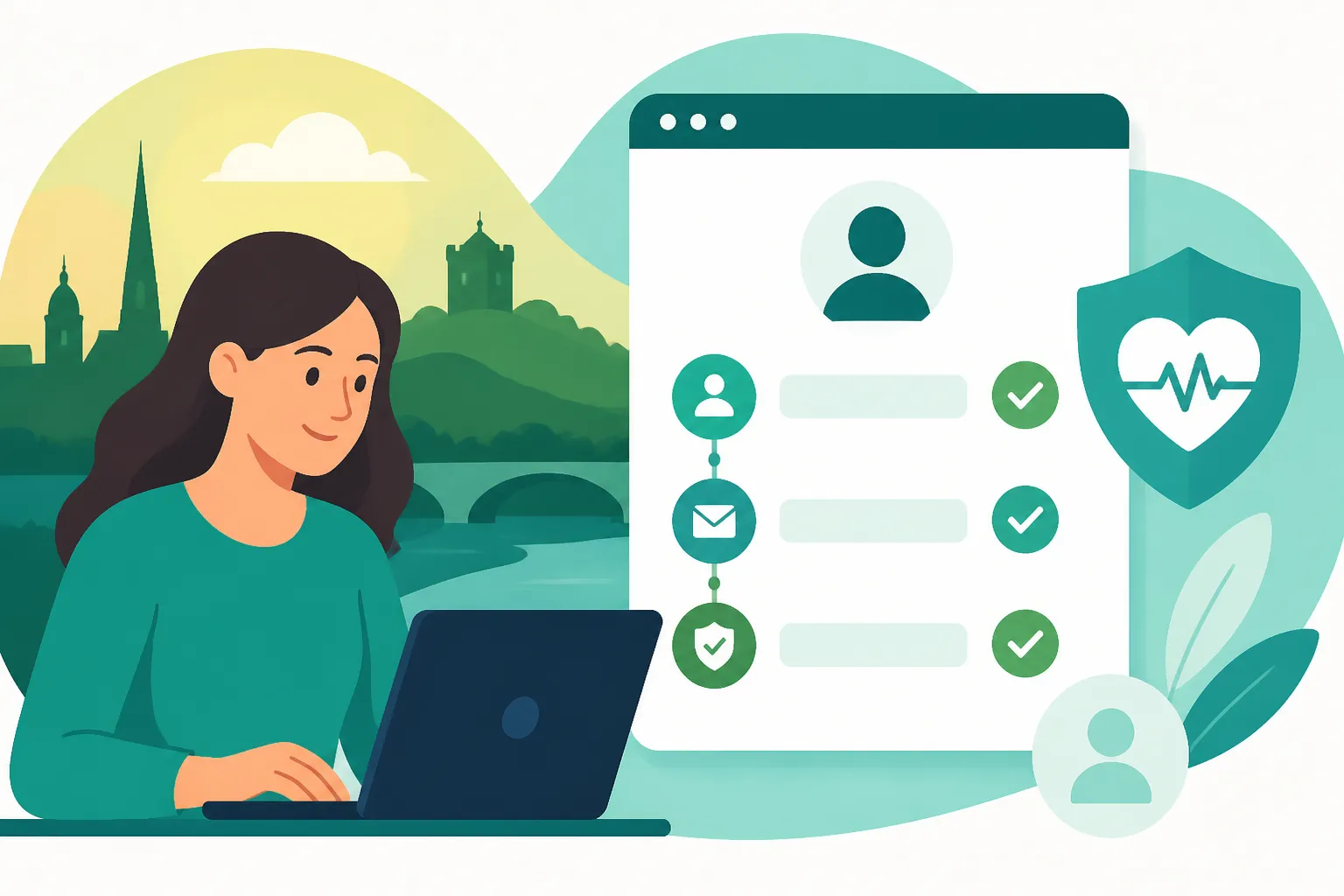
The first time you successfully land on your dashboard, the system might prompt you to fill in your contact details. This is more important than it seems. You need to enter a valid Lithuanian phone number and an email address. This is how the system sends you notifications about new prescriptions or changes to your appointment times. In Lithuania, many doctors won't call you; they will simply update your record, and the system sends an automated alert.
Make sure you also check the "Patient's Rights" and consent forms within the profile settings. By default, most things are opted-in, which allows different doctors at different clinics to see your unified history. This is one of the best features of Understanding the E-Sveikata (E-Health) System in Lithuania; it means if you go to an emergency room in Klaipėda, the doctors there can see exactly what your family doctor in Vilnius prescribed you last week. Take five minutes to ensure your email is spelled correctly, or you might miss a crucial "e-referral" notification.
Choosing Your Default Language and Accessibility
While the core medical data (written by doctors) will almost always be in Lithuanian, the portal’s menus can be switched to English. Look for the globe icon or the "LT/EN" toggle. Be aware that the translation isn't 100% perfect. Some deep-level medical reports or specific lab results will remain in Lithuanian because the database pulls the raw text directly from the physician's notes.
If you find the technical terminology overwhelming, it helps to cross-reference your results with an English-speaking doctor. You can often find these in private clinics, and if you have international coverage through SafetyWing, the cost of a private consultation to "translate" your public records into plain English is often well worth the peace of mind. Over time, you’ll start to recognize words like "Kraujo tyrimas" (blood test) and "Normalus" (normal), but for the first few months, keep a translation app handy.
Navigating the E-Sveikata Interface
Once you are in, the dashboard is surprisingly clean. It is divided into several sections: prescriptions, referrals, medical history, and appointments. Unlike the clunky systems found in many other countries, the Lithuanian portal is relatively modern. It aims to be a one-stop-shop for your health journey, and once you get used to the layout, you'll wonder how you ever survived with paper records.
Understanding the Dashboard and Medical History
The main dashboard, often titled "Mano sveikata" (My Health), gives you a bird's-eye view of your recent medical events. Under the "Ligos istorija" (Medical History) tab, you can see every visit you’ve made to a public clinic or hospital. Each entry includes the date, the name of the doctor, the facility, and the diagnosis code. If you click on an entry, you can often download a PDF summary of the visit.
This is particularly useful if you need to provide records to an employer or an insurance provider. For instance, if you are looking into Understanding the Role of the Polyclinic (Poliklinika) in Lithuania, you’ll see how your visits to your "Šeimos Gydytojas" (Family Doctor) populate this list. I personally use this section to keep track of my vaccination history, which was a nightmare to manage back home. Here, every "Skiepas" (Vaccination) is logged with the batch number and date, making it easy to prove your status whenever needed.
Viewing and Managing Your E-Receptas
The "Receptai" (Prescriptions) tab is likely the one you will use most often. In Lithuania, paper prescriptions are almost extinct. When a doctor prescribes medication, they "upload" it to your Asmens Kodas. You don't need a piece of paper; you just go to any "Vaistinė" (Pharmacy) with your ID card. However, the portal allows you to see exactly what has been prescribed, the dosage instructions, and how many refills you have left.
Before heading to the pharmacy, it's a good idea to check Understanding the Electronic Prescription (E-Receptas) System in Lithuania. The portal will show you if a prescription is "Panaudotas" (Used) or "Galiojantis" (Valid). This has saved me several trips to the doctor, as I could see that my recurring prescription was already waiting for me in the system without needing to call and ask. It also lists the price subsidies if you are covered by PSD, showing you exactly how much the government is contributing to your medication costs.
Managing E-Referrals (Siuntimai)
In the Lithuanian system, you usually cannot see a specialist (like a cardiologist or dermatologist) without a "Siuntimas" or referral from your family doctor. These referrals are also digital. Under the "Siuntimai" tab, you can see any active referrals you have. This section tells you how long the referral is valid—usually 30 to 60 days—and what specific specialty it is for.
Once a referral is in the system, you can use the portal to book appointments at any public clinic in the country that has an opening. You are not restricted to your own local polyclinic. For a detailed look at this process, check out How E-Referrals (Siuntimas) Work for Specialists in Lithuania. This digital "token" is what unlocks the ability to see a specialist for free (covered by your insurance). If you lose track of your referral, you can't book the appointment, so checking this tab is the first step in any specialist care journey.
Comparison of Login Methods for E-Sveikata
| Method | Prerequisites | Security Level | Best For |
|---|---|---|---|
| Bank Link | Local Lithuanian Bank Account | High | Most Expats with a local job |
| Smart-ID | Bank Account or Mobile-ID | Very High | Frequent users of all e-services |
| Mobile-ID | Special SIM card from Telia/Tele2 | Very High | People who prefer not to use apps |
| Physical ID | Card reader + Lithuanian ID card | Highest | Power users or civil servants |
Common Technical Hurdles and Troubleshooting
Even the best systems have bad days. E-Sveikata is a massive database, and occasionally you will encounter errors that feel uniquely frustrating when you're trying to manage your health. The most common issue is the "Identity not found" error, which usually happens if your data hasn't finished migrating between the Migration Department and the Health Ministry.
What to Do If Your Data Is Missing
If you log in and see absolutely nothing—no history, no insurance status, and a blank profile—it usually means there is a mismatch in your Asmens Kodas registration. This often happens to newly arrived expats. The first step is to wait 48 hours after receiving your residency document. If it still doesn't work, you may need to contact the "Registrų centras" to verify that your electronic identity is active.
In some cases, your family doctor might have entered your name with a typo, or they might have used a temporary ID number if you were seen as a guest. If you are ever in a situation where you need urgent care but the system is failing you, this is where having a private policy like SafetyWing is invaluable. You can go to a private medical center, get treated, and deal with the bureaucratic sync issues later without compromising your health. It’s always better to have a "Plan B" while the Lithuanian servers are talking to each other.
Language Barriers Within the Portal
As mentioned, the E-Sveikata portal is not fully translated. While the buttons might say "Prescriptions," the actual name of the medicine and the doctor’s instructions will be in Lithuanian. This can lead to dangerous misunderstandings if you guess the dosage. I highly recommend using a browser extension that translates text on the fly, but always verify the results.
If you are struggling with the language, you should check How to Find an English-Speaking Doctor in Lithuania. An English-speaking family doctor can walk you through your portal during an appointment, explaining what each entry means. They can also ensure that their notes are written clearly enough for a translation tool to pick up later. Don't be afraid to ask your doctor to "Speak into the portal" in a way that you can understand later—most are happy to help once they realize you're using the digital tools they've provided.
Practical Benefits for Expats
Once the initial setup is over, E-Sveikata becomes a powerful tool that actually makes living in Lithuania easier than in many Western European countries. The level of transparency is high; you can see exactly who has accessed your data and when. This audit trail is a standard feature of Lithuanian e-government, providing a sense of security that your private health information isn't being browsed by unauthorized personnel.
Tracking Your PSD Status and Doctor Registrations
One of the most confusing things for expats is knowing which polyclinic they are actually registered with. Sometimes, when you move apartments, you might forget to "de-register" from your old clinic. The portal shows you exactly where your "Kortelė" (File) is located. Under the "Mano įstaigos" (My Institutions) section, you can see your current family doctor's name and the clinic’s contact details.
If you need to switch, you can often start that process through the portal or by contacting the new clinic, which will then "pull" your record digitally from the old one. This is much easier than the old-fashioned way of carrying paper folders across town. For a deeper dive into this, see The Expat Guide to Finding a Family Doctor (Šeimos Gydytojas) in Lithuania. Being able to verify your registration status at 11 PM on a Sunday night is a convenience that really helps you feel "at home" in the system.
Sharing Data with Private Clinics
Lithuania has a robust private healthcare sector. Many expats choose to use private clinics like Kardiolita or InMedica for faster service. The beauty of E-Sveikata is that these private clinics can also upload data to the national portal. When you visit a private specialist, ask them: "Ar įkelsite į E-Sveikatą?" (Will you upload this to E-Sveikata?).
Most will say yes. This ensures that your public family doctor stays in the loop. It also makes insurance claims much smoother. If you are using a provider like SafetyWing, having a digital record of your diagnosis and treatment in the national portal provides clear, timestamped evidence for your claims. It bridges the gap between Public vs Private Healthcare in Lithuania: Which Should Expats Choose? by allowing you to use both systems interchangeably without losing your medical narrative.
Safety and Security of Your Health Data
Data privacy is a major concern in the digital age, and Lithuania takes this seriously under the umbrella of EU GDPR regulations. The portal isn't just a website; it's a secure medical environment. Every time a doctor or pharmacist accesses your record using your Asmens Kodas, a "log" is created. You can actually see these logs in your profile settings.
GDPR and Data Encryption
The E-Sveikata system uses high-level encryption to ensure that data in transit (between the doctor’s computer and the central server) cannot be intercepted. Because you log in through the E-Government Gateway, your password isn't even stored by the health portal; the gateway simply tells the portal "Yes, this is the person they claim to be." This separation of identity and data is a cornerstone of modern cybersecurity.
For expats worried about their data, it's worth noting that Lithuania is a leader in fintech and digital security. If you want to know more about the broader digital landscape, check out What Is E-Sveikata and How Do I Use It in Lithuania? for a full technical breakdown. Your medical data is legally protected, and you have the right to see exactly who has viewed it. If you see a clinic you've never visited in your access logs, you have the right to file a formal inquiry with the State Data Protection Inspectorate.
Granting Access to Family Members
If you have children or are caring for a spouse, you can manage their health records through your own portal. This is done through a "Delegation" or "Legal Representation" (Atstovavimas) system. When a child is born or registered in Lithuania, they are automatically linked to their parents' Asmens Kodai in the population register.
When you log in, you will often see a dropdown menu near your name that allows you to switch to your child’s profile. This is where you will find their school health certificates and vaccination records. It is much easier than carrying around those little yellow booklets. For more information on setting up your family’s health infrastructure, you can read How to Register Family Members for Health Insurance in Lithuania. Managing your kids' health in a foreign country is hard enough; having their prescriptions and referrals accessible from your phone makes it just a little bit more manageable.
Disclaimer
The information provided in this guide is for informational purposes only and does not constitute legal or medical advice. The E-Sveikata portal and Lithuanian health regulations are subject to change. Always verify current procedures with the Migration Department (MIGRIS) and the National Health Insurance Fund (VLK). For specific medical concerns, consult with a licensed healthcare professional in Lithuania.